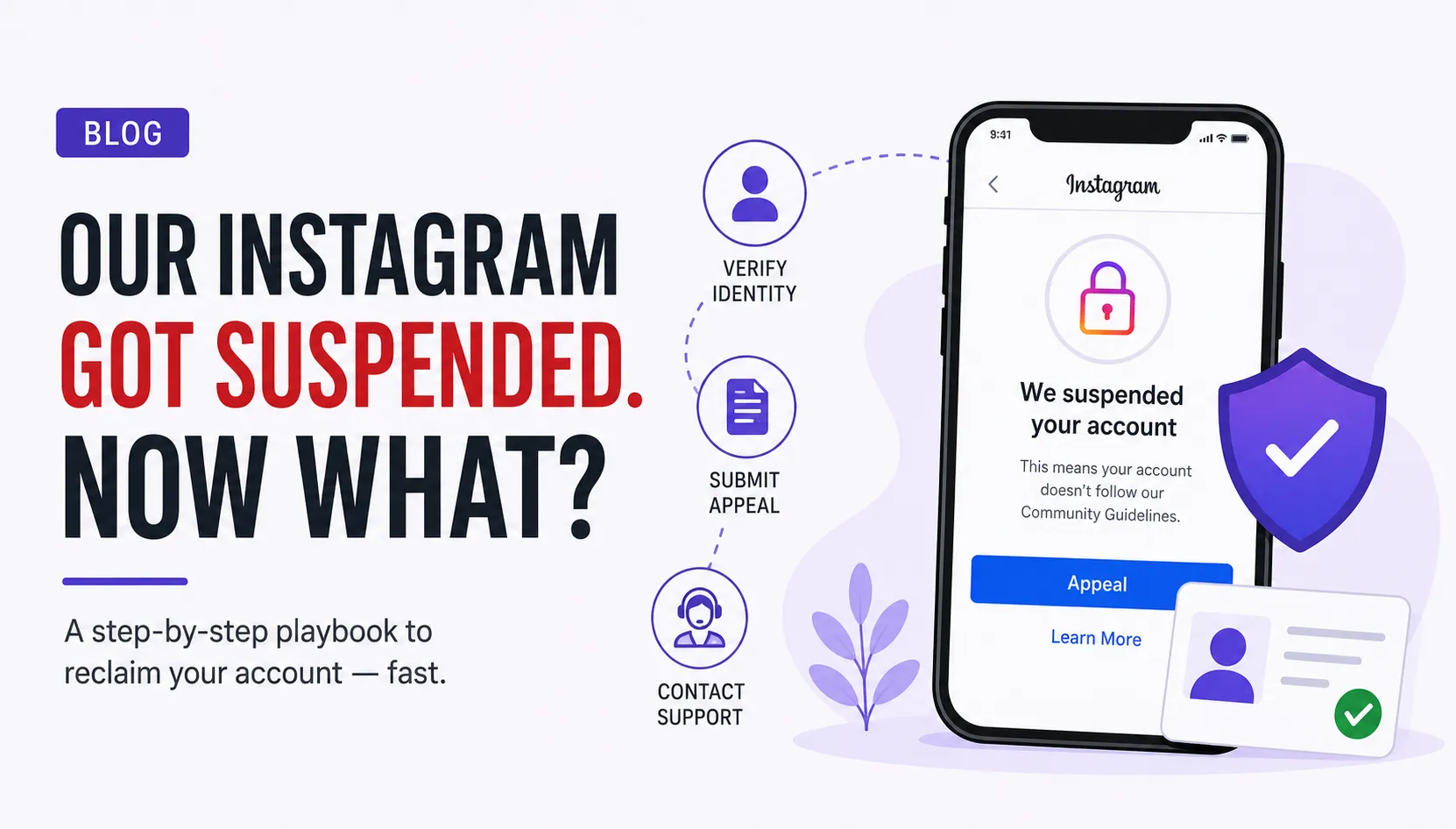
Meta's automated systems flag thousands of accounts every day — many of them unfairly. If your account was suspended, you are not alone, and in most cases you can get it back within 24–48 hours by following the right process.
Submit the Official In-App Appeal
The fastest path to recovery starts inside the Instagram app itself. When you log in, you'll see a "We suspended your account" notice — that's your entry point.
Open the App & Trigger the Prompt
Log in via the Instagram app or the website. You'll see a notification that reads "We suspended your account." Tap Appeal or Learn More to begin.
Complete Identity Verification
Instagram will walk you through a captcha, email and phone verification, and a video selfie where you slowly turn your face in different directions to confirm you're a real person.
Upload a Government ID (if asked)
Some accounts are also asked to provide a clear photo of an official government ID — such as an Aadhaar card, passport, or driver's licence — to confirm your identity matches the account.
Make sure your face is well-lit during the video selfie and your ID photo is sharp and unobstructed. Blurry images are the #1 reason appeals get rejected at this stage.
Use Meta's Official Help Forms
If the in-app flow breaks, crashes, or loops endlessly, bypass it entirely by going directly to Meta's web-based support forms.
Instagram Help Centre Appeal Form
Visit help.instagram.com and fill out the manual review form. Provide your full name, username, registered email, and a brief, factual explanation of why the suspension was a mistake or automated error.
Meta Account Recovery Hub
If your account was hacked before the suspension — which sometimes triggers a flag — go to instagram.com/hacked. This dedicated hub lets you secure and reclaim a compromised profile separately from a standard suspension appeal.
Escalate to a Live Support Agent
If your appeal is rejected or simply goes unanswered, there is one more escalation path: paying for Meta Verified on a backup account to unlock access to live chat support.
Create a Backup Account
Make a new Instagram or Facebook profile — you'll only need it temporarily to access premium support channels.
Subscribe to Meta Verified
Sign up for the Meta Verified subscription on your backup account. This unlocks direct access to Meta's support team — something unavailable on standard free accounts.
Request Live Chat Escalation
Navigate to Accounts Centre → Meta Verified → Get Support and open a live chat. Share your suspended account details, relevant screenshots, and ask the agent to escalate your case to the internal review team.
Why Do Accounts Get Suspended?
Understanding the cause helps you avoid a repeat suspension — and gives you something concrete to mention in your appeal.
Bot-Like Behaviour
Bulk following, mass liking, or spamming comments in a short window triggers Instagram's automation detectors.
Third-Party Apps
Follower-tracker apps, auto-likers, or any tool that accesses your account via unofficial APIs can get you flagged or banned.
Copyright Strikes
Reposting Reels, music clips, or content from other creators without permission accumulates strikes that can lead to suspension.
Community Guideline Violations
Repeated reports from other users or posts flagged for hate speech, misinformation, or adult content can trigger a review.
Compromised Account
If a hacker accessed your account and violated policies before you regained control, the suspension may reflect their actions, not yours.
False Positive by Bots
Meta's automated moderation is imperfect. Accounts are sometimes caught in mass sweeps with no real violation at all.
Don't Wait — Start
Your Appeal Today
The sooner you submit, the better your chances. Instagram reviews are time-sensitive.
Go to Instagram Help Centre →




Comments